CNCCookbook’s G-code Tutorial
What is CNC Macro Programming?
The evolution of machine programmabilty...
The next several lessons in the G-code tutorial provide a Mini-Tutorial on CNC Macro Programming and Fanuc Macro B. In many ways, Macro Programming is the highest level of G-code Programming. It offers the most flexibility and the greatest potential power of any of the G-code Programming Techniques.
Without CNC Macro Programming, G-code is not really a full fledged computer language, it's more a recording of a series of manual steps. That's useful, but computers and CNC controllers are capable of a lot more.
With CNC Macro Programming, a vast number of new things are possible. We've prepared an article, 37 Things Your CAM Won't Do For You That G-code Programming Can, that tells all about the potential things you might do with CNC Macro Programming. Here are just a few ideas from the article:
- Adjust Feeds and Speeds for material variations. Suppose you make the same part, but in different materials. Perhaps you offer aluminum, stainless steel, and titanium, or some such. By putting the feeds and speeds in macro variables, it becomes possible for the same program to work on all three materials.
- Make it easier to rework parts or change lot sizes. You could use cnc macro programming to tell the part program how many of the available fixture slots actually contain parts and which of a series of machining steps to execute. Being able to quickly and flexibly change lot sizes or partially remachine parts to rework mistakes can be very helpful.
- Custom Deep Hole Drill Cycles. Suppose you have put together a really sophisticated strategy for deep hole drilling. Put it into a subprogram so it can be shared across all your G-code and then call that subprogram as needed. Just another job for cnc macro programming.
- Automate Setup of Modular Fixturing. Modular Fixturing can save you a lot of time by ensuring repeatability of where fixtures are located relative to machine coordinates. Using the G10 G-code, you can make part programs set themselves up for particular fixtures that will be at know locations on your fixture plate.
There are many more examples in the article, but you get the idea how powerful CNC Macro Programming can be. Go through our lessons so you can add this power tool to your tool box.
A word about Fanuc Macro B
Fanuc Macro B is by far the most common Macro Programming Dialect. Not all controllers support full Macro B, and there are variations supported by some non-Fanuc controllers. We can't document every G-code Dialect here, but the concepts offered in Macro B will be similar to what you see elsewhere, and therefore applicable to those cases with slightly different syntaxes and capabilities. If you don't have a controller with Macro B, it's still worth checking it out.
CNC Macro Programming Topic Areas
CNC Macro Programming may be broken down into the following topic areas, and we have a lesson for each area:
- Parameterized Programming
- Subprograms and Macros
- Conditions and Looping
- Modal Data
- Modal Macro Calls
Let's give a brief overview of what each one means and how they fit together, then we'll turn you loose to go through each lesson in more detail.
Parameterized Programming
Parameterized programming is all about using variables in G-code programming. With variables, you "parameterize" your cnc program, making it much more flexible. For example, let's say you've got a program designed to create up to 8 parts on a fixture plate. You might include a parameter or variable at the top of the program that tells how many parts are really loaded. This makes it possible for the same program to work on any number of parts from 1 up to the 8 of a full fixture plate.
Or, perhaps you want to parameter some dimension on a part. Again, by setting up a variable to control the dimension, you can easily use the same G-code program to do a lot of different things.
[ Read Our Training Lesson on CNC Parameterized Programming ]
Subprograms and Macros
Let's say you've created a valuable G-code program and you want to use it over and over, sharing it among various other G-code programs. A shared piece of G-code like that is called a "Subprogram", and it's very easy with CNC Macro Programming to manage subprograms.
[ Read Our Training Lesson on Subprograms and Macros ]
Conditions and Looping
Sometimes, you want the G-code to do different things under different conditions.
Take our deep hole custom cycle example. We've got a G-code subprogram that does all sorts of smart things to enable it to drill very deep holes automatically. But, we don't need to do all those smart things on shallow holes. In fact, the shallower the hold, the less smart we need to be.
So, we can put condition tests into the routine that take a macro variable for hole depth and decide how fancy to get based on how deep the hole is.
[ Read Our Training Lesson on Fanuc Macro B Conditions and Looping ]
Modal Data
If you've been following our G-code Course up to this point, you know that G-code is very modal. It remembers things that happened earlier in the part program.
In this chapter, we'll teach you how your macros and subprograms can know those things that happened in the past and potential act on them.
[ Read Our Training on Accessing Modal Data ]
Modal Macro Calls
This lesson is still in development and we hope to have it available for you soon!
Detailed Macro Example: Digits
[ Read the Digits CNC Macro Programming Example ]
More CNC Macro Programming Resources
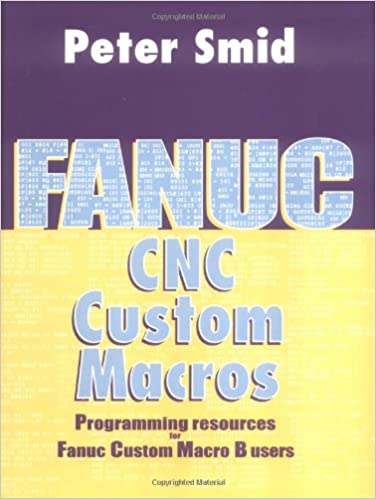
For a deeper look into more advanced macro programming, I recommend Peter Smid's book, CNC Custom Macros:
Be the first to know about updates at CNC Cookbook
Join our newsletter to get updates on what's next at CNC Cookbook.